Monday, July 13, 2015
BEHRINGER EPX 3000 - AMPLIFIER CIRCUIT DIAGRAM
Professional technician for all kind of electronic equipment. Doing since 1974.
TOSHIBA 14N21E2 COLOUR TELEVISION - SERVICE MODE - CIRCUIT DAGRAM
SERVICE MODE - MEMORY REPLACEMENT - DEFAULT DATA VALUES - SCHEMATIC DIAGRAM - Toshiba 14N21E2
SERVICE MODE LIST
This unit provided with the following SERVICE MODES so you can
repair, examine and adjust easily.
To enter the Service Mode, press both set key and remote control key for more than 2 seconds.
CONFIRMATION OF HOURS USED
POWER ON total hours can be checked on the screen. Total hours are
displayed in 16 system of notation. NOTE: If you set a factory initialization,
the total hours is reset to "0".
Set the VOLUME to minimum.
Press both VOL. DOWN button on the set and Channel
button (6) on the remote control for more than 2 seconds.
After the confirmation of using hours, turn off the power.
Press both VOL. DOWN button on the set and Channel
button (6) on the remote control for more than 2 seconds.
After the confirmation of using hours, turn off the power.
WHEN REPLACING EEPROM (MEMORY) IC
If a service repair is undertaken where it has been required to
change the MEMORY IC, the following steps should be taken to
Ensure correct data settings while making reference to TABLE. [No need setting for after INI 16 due to the adjustment value.]
Enter DATA SET mode by setting VOLUME to minimum.
Press both VOL. DOWN button on the set and Channel button (6) on the remote control for more than 2 seconds
ADDRESS is now selected and should "blink". Using the
VOL. +/- button on the remote, step through the ADDRESS until required ADDRESS to be changed is reached.
Press OK to select DATA. When DATA is selected, it will "blink".
Again, step through the DATA using VOL. +/- button until required DATA value has been selected.
Pressing OK will take you back to ADDRESS for further selection if necessary.
Press OK to select DATA. When DATA is selected, it will "blink".
Again, step through the DATA using VOL. +/- button until required DATA value has been selected.
Pressing OK will take you back to ADDRESS for further selection if necessary.
Repeat steps 3 to 6 until all data has been checked.
When satisfied correct DATA has been entered, turn POWER off (return to STANDBY MODE) to finish DATA input.
After the data input, set to the initializing of shipping.
Turn POWER on.
Press both VOL. DOWN button on the set and Channel button (1) on the remote control for more than 2 seconds.
After the finishing of the initializing of shipping, the unit will turn off automatically.
When satisfied correct DATA has been entered, turn POWER off (return to STANDBY MODE) to finish DATA input.
After the data input, set to the initializing of shipping.
Turn POWER on.
Press both VOL. DOWN button on the set and Channel button (1) on the remote control for more than 2 seconds.
After the finishing of the initializing of shipping, the unit will turn off automatically.
The unit will now have the correct DATA for the new MEMORY IC.
Confirmation of Fixed Value
Check if the fixed values of the each adjustment items are set
correctly.
To check for the fixed values of the RF (60Hz), indicate the
adjustment mode screen while input the 60Hz video signal.
SMPS SECTION CIRCUIT
DEFLECTION & CRT BOARD CIRCUIT
CHROMA-VIF SECTION CIRCUIT
SYSTEM CONTROL SECTION CIRCUIT
CLICK ON THE PICTURES TO ZOOM IN
Professional technician for all kind of electronic equipment. Doing since 1974.
Tuesday, July 7, 2015
COLOR TV CIRCUIT DIAGRAM - USEE ICs TDA6106_TDA9573/N3_TDA9855_TDA8359J
Professional technician for all kind of electronic equipment. Doing since 1974.
Friday, June 19, 2015
LGXCS62F – LGXC62 – MINI HI-FI SYSTEM – SCHEMATIC DIAGRAM
Circuit Diagram LGX62 [Click on the Diagrams to Zoom In]
MAIN AMPLIFIER
FLD DISPLAY
MAIN
CD SECTION
TAPE DECK SECTION
USB
SMPS
PWB SMPS
CLICK ON THE PICTURES TO ZOOM IN
Professional technician for all kind of electronic equipment. Doing since 1974.
Monday, June 15, 2015
Fisher and Paykel DEX1 AA WH INTUITIVE DRYER – Exploded View - Parts
Exploded Views & PARTS LIST - Fisher & Paykel DEX1 AA WH
INTUITIVE DRYER
The picture shows the type of product and may not
necessarily be an exact image of the models. The components shown in italics with a part number are
those parts in the kit which are available also as separate items. In addition,
some parts may be supplied with this kit which are not available as separate items
and are therefore either not listed or a part number is not shown against the
part description.
TOP DECK AND ELECTRONICS
CABINET, DRUM AND INLET DUCT
OUTLET DUCT
CHASSIS COMPONENTS & MOTOR ASSEMBLY
SUBDECK ASSEMBLY & DRUM DOOR
ASSEMBLY
BASE PANEL AND COMPONENTS
CLICK ON THE PICTURES TO MAGNIFY
Professional technician for all kind of electronic equipment. Doing since 1974.
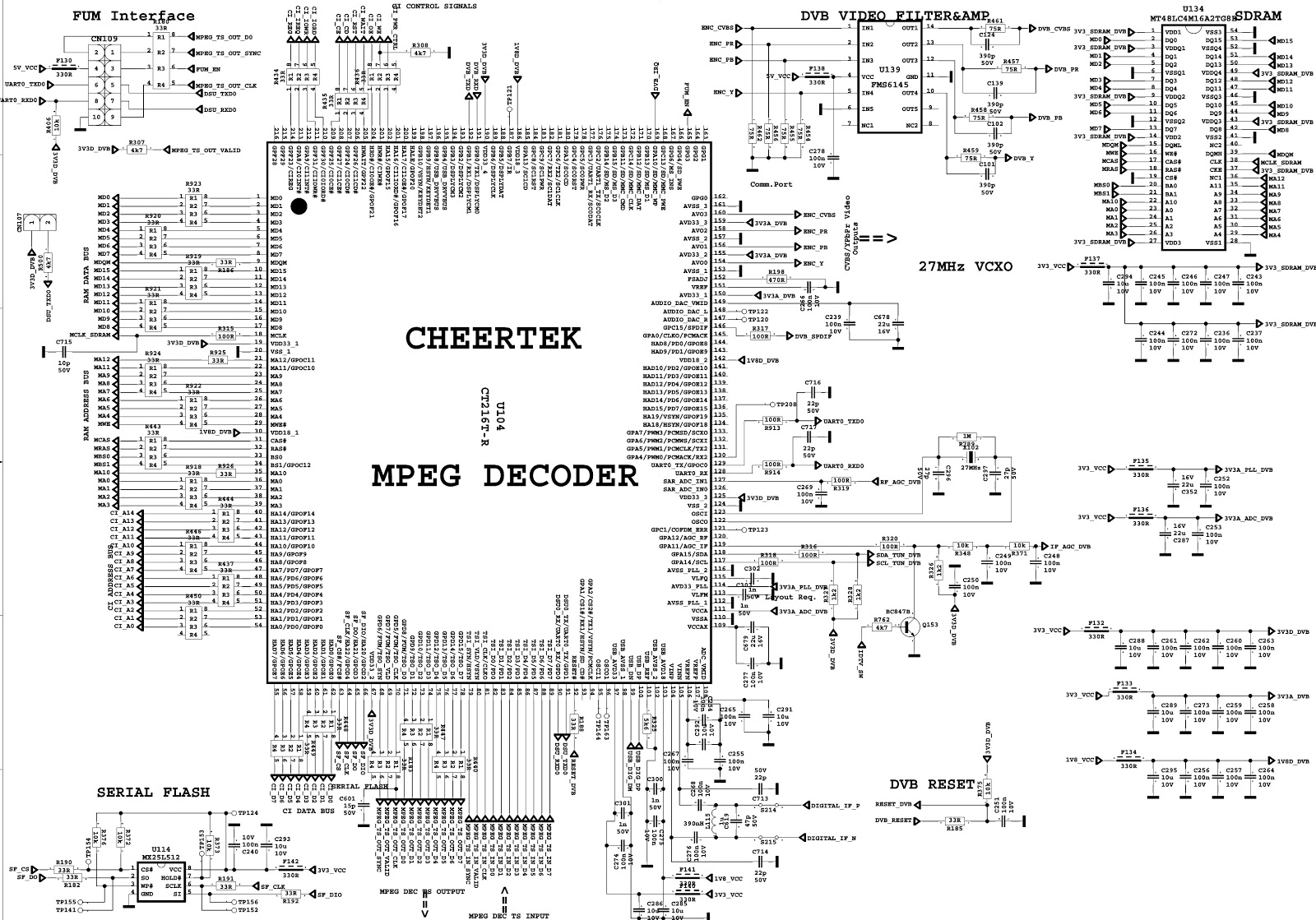
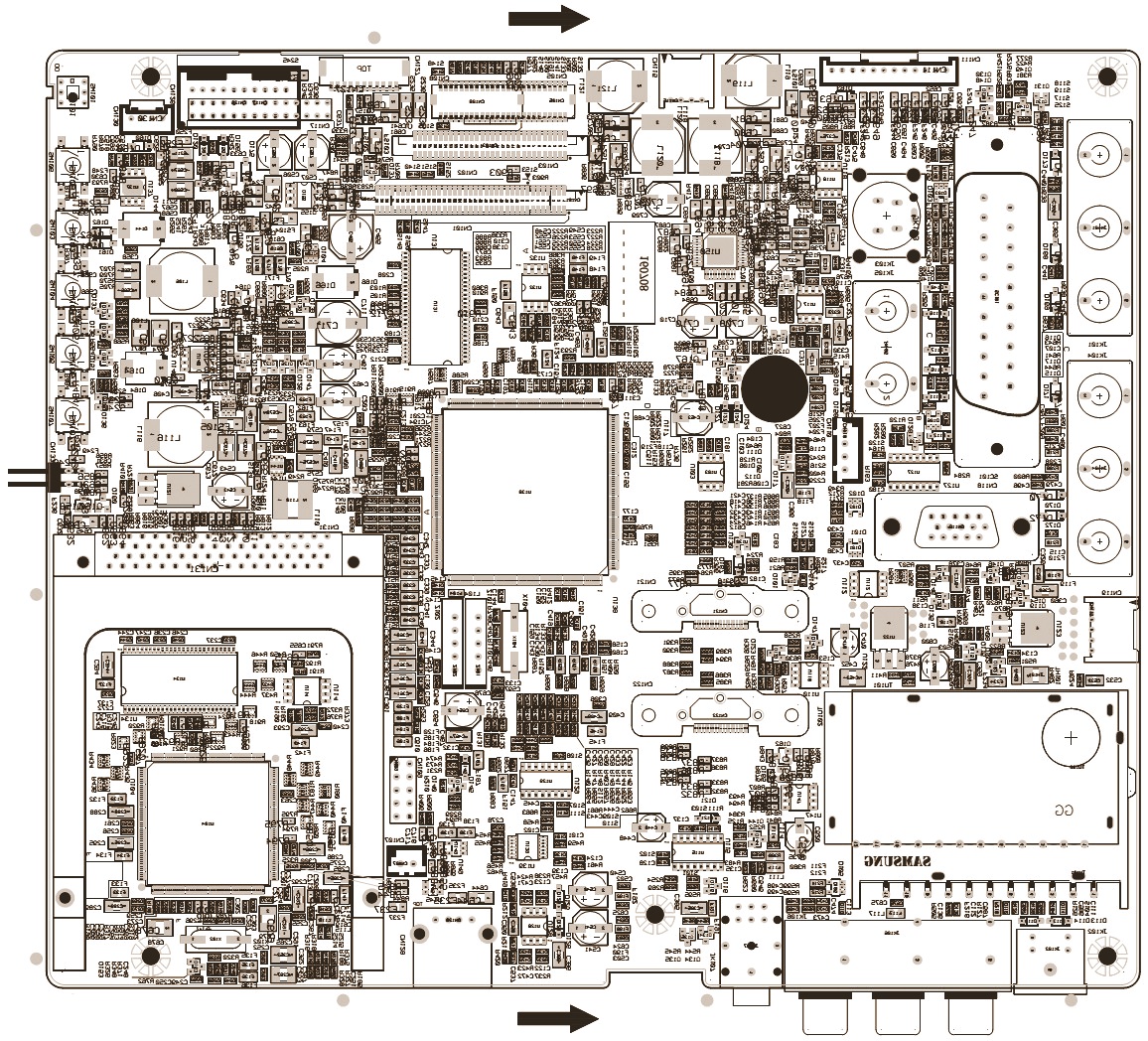
VESTEL 17MB25 TFT LCD TV KIT – CIRCUIT DIAGRAM – FULL
17MB25_TFT
LCD TV kit _ Circuit diagram
Click
on the pictures to Zoom In
SCHEMATICS
PWB COMPONENT & FOIL SIDES
Professional technician for all kind of electronic equipment. Doing since 1974.
Friday, June 12, 2015
WHIRLPOOL DISH-WASHER ADG352WH – EXPLODED VIEW – WIRING DIAGRAM
Professional technician for all kind of electronic equipment. Doing since 1974.
Subscribe to:
Posts (Atom)